Edit Udyam Certificate: How to Update Udyam Registration Details Online
Need to update your Udyam Registration details or modify your Udyam Certificate? Many business owners notice mistakes after registration. Others need to update their certificate because their business address, firm name, bank details, activity, employees, investment, or turnover has changed.
The Edit Udyam Certificate process helps you keep your MSME records accurate and updated. A correct certificate can be useful when you apply for loans, government schemes, tenders, vendor registration, subsidies, or business verification.
To update Udyam Registration details, you usually need a valid Udyam Registration Number and access to the mobile number or email used during registration. OTP verification is required before making changes. If you do not have OTP access, updating the certificate may become difficult.
Private consultants may also assist business owners with corrections. However, any consultancy charges are for advisory and assistance services only. Government fees for Udyam Registration are nil.

Update Udyam Registration Details
If your MSME certificate has incorrect or outdated information, you can request an edit or update. This may include changes in your enterprise name, address, business activity, NIC code, bank account details, employee count, investment, or turnover.
Update Udyam Registration
Fill in your details below to request corrections or updates in your Udyam Registration Certificate.
Important Before You Edit Udyam Certificate Details
You must have a valid Udyam Registration Number. The common format is:
UDYAM-XX-XX-XXXXXXX
You should also have access to the registered mobile number or email because OTP verification is required before making changes. Without OTP access, it may not be possible to update the certificate directly.
You should check all details before starting the process. This includes your business name, registered address, activity, NIC code, bank details, employee count, investment, and turnover information.
Details Required to Submit an Edit Request
When you request changes to your Udyam Certificate, you may need to provide the following details:
A typical edit request form may ask for:
After filling in these details, you can submit the edit request. If you entered wrong information, reset the form and fill it again carefully.
Requirements for Updating Udyam Registration
To update your Udyam Registration details, keep these requirements ready:
These details help confirm that the update request is being made by the correct business owner or authorized person.
What Can Be Edited in Udyam Registration?
Several business-related fields can usually be updated in a Udyam Certificate. These updates help keep your MSME profile accurate and useful.
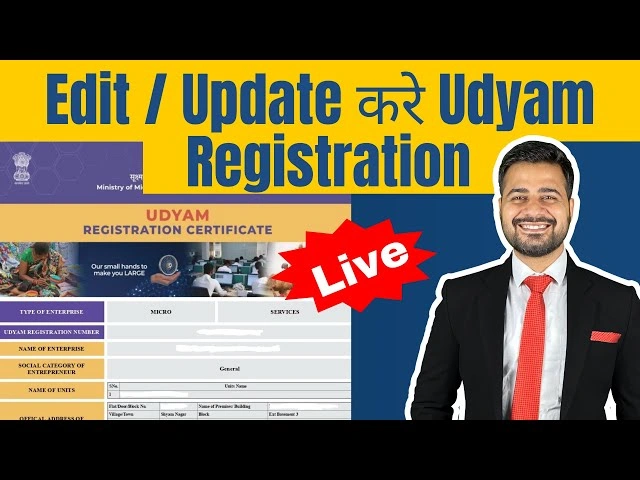
You can request updates for:
These changes are useful when your business expands, shifts location, changes work category, updates banking information, or corrects earlier mistakes.
What Cannot Be Changed?
Some details are linked to identity verification and may not be editable in the normal update process.
The following details generally cannot be changed:
If any of these details are wrong, you may need to check the available correction options before taking the next step.
Why Updating Udyam Certificate Is Important
Your Udyam Certificate is an important MSME document. It is used to verify your business registration and may be required for several government and private business purposes.
You should keep it updated because:
An updated certificate also makes your business profile look more reliable. If your details are outdated, you may face issues during document verification.
Common Reasons to Modify Udyam Registration Details
Business details may change over time. Sometimes, mistakes also happen during the original registration. In both cases, editing the certificate becomes necessary.
Common reasons include:
Updating these details can make your certificate more reliable and useful.
How to Update Udyam Registration Details
The update process is usually completed online through OTP verification. You need to log in with your Udyam Registration Number and verify your identity before editing allowed fields.
Follow these general steps:
Always review your updated details before submission. A small spelling mistake, wrong number, or incorrect business activity can create another correction requirement later.
Edit Udyam Certificate With Expert Assistance
Some business owners prefer expert assistance because they are unsure which fields can be edited or how to write the correction request. Consultants can help review your existing certificate, identify correction areas, guide you about required information, and assist with the update process.
Expert assistance may help with:
You should only share OTP after confirming the authenticity of the service provider. OTP is sensitive and should be handled carefully.
Legal Disclaimer for Private Consultancy Websites
If a website provides Udyam update help as a private consultancy service, it should clearly mention that it is not affiliated with the Government of India.
A suitable disclaimer is:
This website is managed by private consultants. We are not affiliated with the Government of India. Charges paid are for advisory and assistance services, not government fees. Government fees for Udyam Registration are nil.
This helps users understand the difference between official government services and private assistance services.
Need a New Registration?
If you only have Udyog Aadhaar from the old system, you may need to complete a fresh registration under the current Udyam system.
Apply for new registration if:
If you already have a valid Udyam Registration Number, you should usually choose the update option instead of applying again.
Udyam Update Checklist
Before submitting your update request, check the following:
- Your Udyam number is correct
- Your mobile number is active
- You can receive OTP
- Your email address is valid
- Your correction details are clearly written
- Your business name spelling is correct
- Your address matches your records
- Your NIC code matches your activity
- Your bank details are accurate
- Your turnover and investment figures are updated
- You understand which details cannot be changed
This checklist can reduce errors and save time.
Frequently Asked Questions
Final Thoughts
Editing your Udyam Certificate is important when your MSME details are wrong, outdated, or incomplete. The Edit Udyam Certificate process can help you update fields such as company or firm name, registered address, business activity, NIC code, bank details, investment, turnover, and employee count.
Keep your Udyam Registration Number, registered mobile number, OTP access, and correction details ready before starting. Accurate Udyam details can help your business during MSME verification, loan applications, tenders, government schemes, and business documentation.