Udyam Registration for Individual: Apply Online in 2026 Fast
Running a business on your own and want to register it as an MSME? Udyam Registration for Individual is a simple, free, and paperless way to register your sole proprietorship online.
You can apply using your Aadhaar, PAN, business details, bank information, and GSTIN if it applies to your business. No physical documents are normally required, and the registration does not need yearly renewal.
In this guide, you will learn who can apply, what details you need, how to complete the form, and how to avoid common mistakes during Udyam registration in 2026.
What Does Udyam Registration Mean for an Individual?
Udyam Registration is the Government of India’s online system for recognising micro, small, and medium enterprises.
For an individual, this normally means registering a business that you own and control yourself. The organisation type selected in the form is generally proprietorship.
The official form requires the Aadhaar number of the proprietor. Your Aadhaar details are verified first, followed by PAN verification and business information.
After successful registration, you receive a permanent Udyam Registration Number and an online certificate containing a QR code.
Important Difference:
An individual does not get Udyam registration only because they have an Aadhaar or PAN.
You need to have an enterprise or business activity. The registration identifies your business as an MSME based on its investment, turnover, and activity.
Who Can Apply for Individual Udyam Registration?
You may apply when you run a business alone as a sole proprietor. In this situation, Udyam Registration for Individual is completed using the proprietor’s own Aadhaar, PAN, and business details.
This may include:
The official application supports manufacturing, service, and trading activities. You must select the correct National Industrial Classification, or NIC, code for the work your business performs.
Being a freelancer or self-employed person does not automatically guarantee eligibility. Your work should fall under an accepted business activity, and your investment and turnover must remain within the MSME limits.
Latest MSME Classification for 2026
The MSME limits were revised with effect from 1 April 2025. These updated limits apply in 2026.
| Enterprise Category | Maximum Investment | Maximum Annual Turnover |
|---|---|---|
| Micro enterprise | ₹2.5 crore | ₹10 crore |
| Small enterprise | ₹25 crore | ₹100 crore |
| Medium enterprise | ₹125 crore | ₹500 crore |
Your business must meet both the investment and turnover conditions for its category.
For example, a business cannot remain a micro enterprise if its investment is below ₹2.5 crore but its turnover exceeds ₹10 crore.
Documents Required for Udyam Registration for Individual
The registration is based on online verification and self-declaration. Applicants normally do not need to upload documents or business proofs during registration.
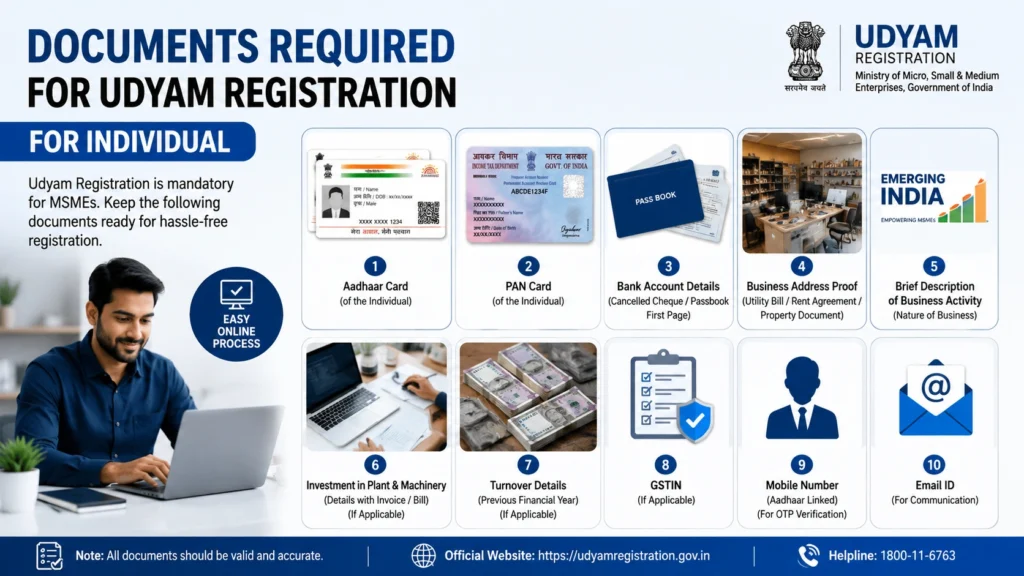
Still, keep the following information ready before starting.
| Requirement | What You Need |
|---|---|
| Aadhaar | Aadhaar number of the proprietor |
| Mobile number | Number that can receive the Aadhaar OTP |
| PAN | Proprietor’s valid PAN |
| GSTIN | Required where GST registration is applicable |
| Working email address | |
| Business name | Name used by your enterprise |
| Business address | Office and unit or plant address |
| Bank details | Bank name, account number, and IFSC |
| Business activity | Manufacturing, service, or trading |
| NIC code | Code that matches your main business activity |
| Start date | Date the business started or will start |
| Employment details | Number of people employed |
| Investment details | Investment in plant, machinery, or equipment |
| Turnover details | Business turnover information |
The portal connects with Income Tax and GST databases. Investment and turnover information may therefore be collected automatically from government records where available.
How to Apply for Udyam Registration Online in 2026
Follow these steps carefully.
Step 1: Open the Official Government Portal
Visit only the official Udyam Registration Portal operated by the Ministry of MSME.
The government application itself is free. Some private consultants may charge for form-filling help, but their charges are not government registration fees.
Step 2: Choose New Registration
Select the option for new entrepreneurs who are not already registered as an MSME.
Do not choose UAM migration unless you already have an older Udyog Aadhaar Memorandum.
Step 3: Verify Your Aadhaar
Enter:
Complete the OTP verification.
In a proprietorship, the Aadhaar used must belong to the proprietor.
Step 4: Verify Your PAN
Choose proprietorship as the organisation type.
Enter:
Check every detail before validation. Even a small difference in your name or date of birth can cause verification problems.
Step 5: Enter Basic Business Details
Provide the following information:
Use the real name of your business. Do not add words such as “Private Limited” or “LLP” when your business is only a proprietorship.
Step 6: Add Your Business Address
Enter the complete address of your business office and any plant or working unit.
The form may ask for:
The application allows more than one plant or unit to be added where needed.
Step 7: Add Bank Details
Enter your business bank information, including:
Check the account number twice before moving ahead.
Step 8: Select Your Business Activity and NIC Code
Choose whether your main activity is:
Next, search for the NIC code that best describes your business.
Do not select an unrelated code just because it looks close. A wrong NIC code may create problems when applying for a scheme, loan, tender, or delayed-payment support later.
Step 9: Enter Employment, Investment, and Turnover Details
Add the number of people employed by your business.
Investment and turnover data may be collected from your Income Tax and GST records. In some cases, you may need to provide information through self-declaration.
Step 10: Submit the Form
Read the declaration carefully.
Confirm that the information is correct and submit the application using the final OTP.
After successful processing, a Udyam Registration Number is generated, and the certificate is issued online.
Is Udyam Registration Free?
Yes. Udyam registration on the official government portal is completely free.
You do not need to pay:
You may see private websites charging for form-filling or consulting services. These are not government fees.
Quick Safety Tip:
Before entering Aadhaar, PAN, or bank details, check that you are on the real government Udyam website.
Do not trust a website only because it uses words such as “official,” “MSME,” or “Udyam” in its domain name.
Does Udyam Registration Need Renewal?
No. Udyam registration does not need routine renewal.
You receive:
However, you should update your registration when important business information changes.
You should also keep your Income Tax and GST records correct because the portal uses government data for MSME classification.
Can an Individual Apply Without GST?
You may apply without a GSTIN when GST registration is not legally applicable to your business.
GSTIN is required according to the applicability of the GST laws and relevant MSME rules. This means GST registration is not automatically compulsory for every small individual business.
Do not select “GST exempt” only to complete the application quickly. Choose the correct option based on your actual business status.
Speak with a tax professional when you are unsure whether GST registration applies to you.
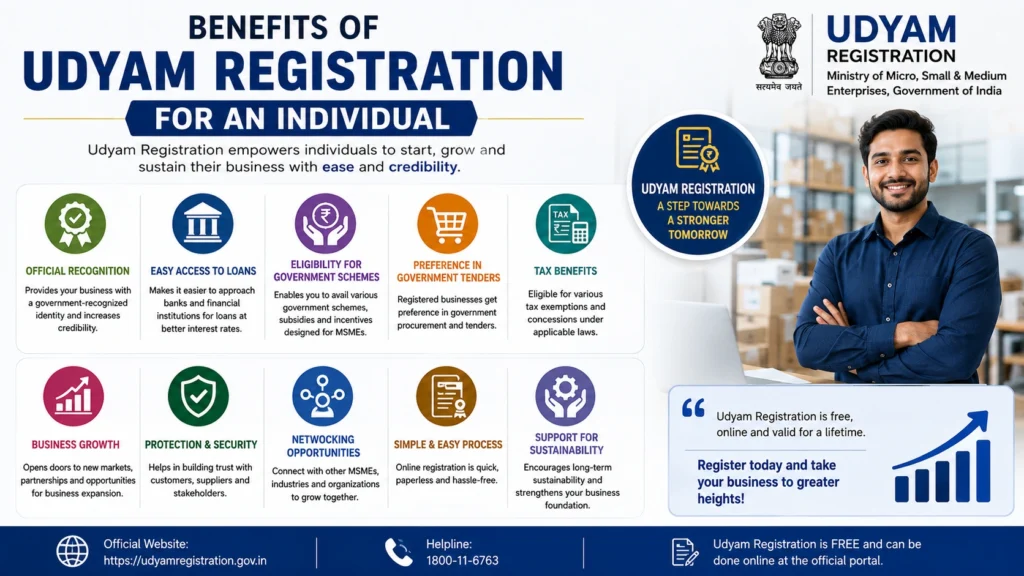
Benefits of Udyam Registration for an Individual
Udyam registration gives your business formal MSME recognition. It may also help you access schemes and protections meant for eligible MSMEs.
Official MSME Recognition
Your business receives a government-issued registration number and certificate that can be verified through a QR code.
Access to MSME Schemes
Many MSME programmes require valid Udyam registration.Each scheme has separate rules, so registration makes you eligible to apply but does not guarantee approval or payment.
Credit Support
Eligible micro and small enterprises may approach participating banks and financial institutions for business loans and credit support.Udyam registration does not mean that a loan is automatically approved. The lender will still check your business, repayment ability, financial records, and the rules of the scheme.
Help With Delayed Payments
Eligible micro and small enterprises with valid Udyam registration may use the government’s delayed-payment support system.Your eligibility may depend on your business type, transaction details, invoices, and other claim requirements.
Government Market Opportunities
Udyam-registered businesses may be able to explore government procurement, tender, marketplace, and receivable-financing opportunitiesEach platform has its own registration and eligibility conditions.
Common Udyam Registration Problems and Fixes
Aadhaar OTP Is Not Arriving
Check that the mobile number linked with Aadhaar is active and has network coverage.Do not keep requesting OTPs repeatedly within a short time. Wait a few minutes and try again.
Aadhaar Name Does Not Match
Enter your name exactly as shown on Aadhaar.Avoid adding titles, initials, or extra spaces that do not appear in the Aadhaar record.
PAN Verification Failed
Check:
- PAN number
- Name of the PAN holder
- Date of birth
- Organisation type
For an individual proprietor, select proprietorship instead of partnership, company, or LLP.
Wrong NIC Code Selected
Search using the main product or service your business provides.For example, choose a code based on the actual work performed, not simply the broad word “business.”
Duplicate Registration Error
An enterprise should not submit more than one Udyam registration.You may add several manufacturing, service, or trading activities under one registration instead of creating a new registration for each activity.
GST Details Do Not Match
Make sure the legal name, PAN, and business information in GST records match the details entered in the Udyam form.Correct the source record when the information is wrong rather than repeatedly submitting different information.
Mistakes to Avoid
Do not make these common mistakes:
What to Do After Registration
Once your registration is completed:
The portal also provides options to print, verify, update, or cancel a registration.
Latest posts
- Udyam Registration for Individual: Apply Online in 2026 Fast
- Free MSME Registration 2026 – Udyam Certificate Guide Today!
- MSME Credit Card 2026: Eligibility, Benefits & Apply Guide!!
- Udyam Certificate Renewal: Online Process Step by Step 2026
- Udyam Registration Website Isn’t Working: A Guide for MSMEs
Frequently Asked Questions
Final Thoughts
Udyam Registration for Individual is a simple way to give your sole proprietorship formal MSME recognition.
The government process is free, online, paperless, and does not need routine renewal. Keep your Aadhaar, PAN, business address, bank details, and activity information ready before you begin.
Most importantly, use only the official government portal. Enter accurate information, select the right NIC code, and never pay a website that presents its service charge as a government registration fee.